// real-time transit tracking
locate-my-bus
Any GTFS-RT agency — live tracking + trip planning
Onboard any GTFS-compatible transit agency, and a C++ daemon fetches live vehicle positions
every 15 seconds, stores them in PostgreSQL, and serves them to a React 18 + TypeScript
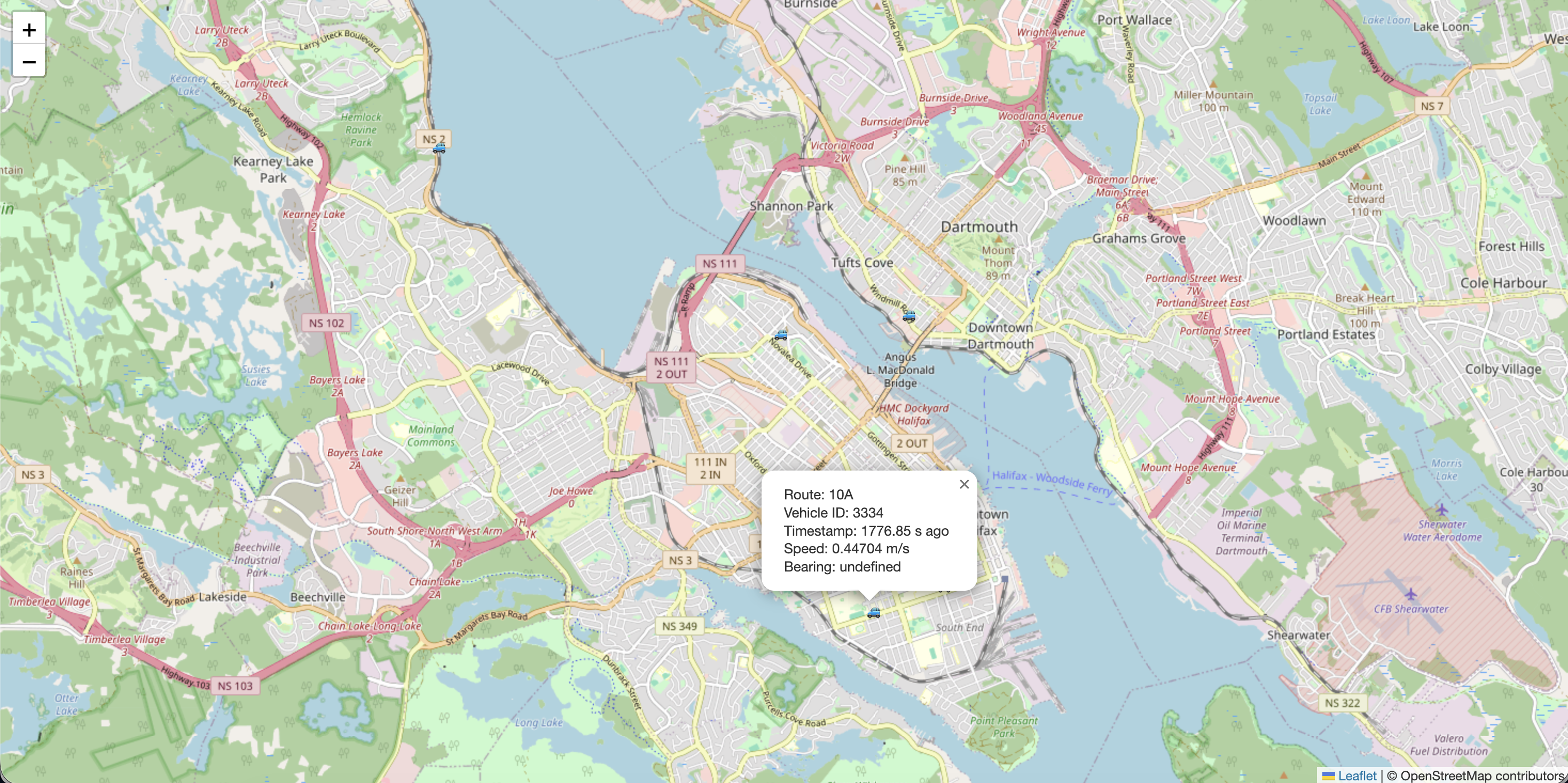
single-page app. The map view talks to a provider-neutral MapAdapter (Azure
Maps today — swap by writing one adapter), pinning a bus draws its trip polyline, ordered
stop dots, and a walking path from you to the nearest stop. Pinned bus positions interpolate
smoothly between 15-second polls. Includes a live agencies dashboard, a poll-monitor
dashboard with feed analytics, and a multi-transfer trip planner.
preview
how it works
Agency onboarding
Provide a GTFS static zip URL and a GTFS-RT feed URL. The server downloads the zip, parses agency.txt and routes.txt, and inserts them into PostgreSQL in a single transaction.
C++ daemon
Reads all onboarded agencies from the DB every 15 seconds. Groups them by unique feed URL, downloads each distinct feed in parallel (bounded by CPU core count), then replaces live vehicle positions in PostgreSQL. Per-poll metrics are recorded for the monitoring dashboard.
PostgreSQL
Stores agencies, routes, shapes, trips, and live positions. ON DELETE CASCADE keeps everything consistent when an agency is removed.
Node.js / Express
Exposes GET /live/:agency_id/:route_id for live positions, GET /routes/:agency_id for route lists, GET /api/trip-plan/:agency_id for trip planning, and a CRUD API for agencies. Provider-agnostic geocoding and walking route endpoints normalize third-party API responses. Write operations require an x-access-key header.
Trip planner
Enter a destination by typing an address or dropping a pin. The server finds optimal transit routes (direct, 1-transfer, or 2-transfer) ranked by walking distance, transfers, and time. Each option shows a step-by-step timeline with departure, boarding, alighting, and arrival times. Walking paths and bus route shapes are drawn on the map. Live bus positions are tracked automatically. Respects GTFS calendar schedules (weekday/weekend/holiday) and tags routes without a live bus as “scheduled.”
React 18 SPA & MapAdapter
Vite-built, code-split per route. The map page talks exclusively to a provider-neutral MapAdapter — the Azure implementation owns the lazy SDK import, CSS, and [lng, lat] quirks. Swap providers (Mapbox, Leaflet, MapLibre…) by writing one new adapter file. Bus markers rotate to match GTFS head_bearing. Pinning a bus draws its trip polyline + ordered stop dots and fetches a walking path from your location to the nearest stop. The pinned bus interpolates between polls over 2 s instead of snapping. Map style, app theme, the running-vs-all routes filter, and the last-picked agency/route persist in localStorage.
Dashboards
/dash/agencies shows real per-agency route count, average latency, error rate, and a Live/Stale tag — all backed by /api/landing. /dash/monitor is fully wired to /api/dashboard/* with daemon uptime, a recent-exec sparkline, per-agency download-latency histograms, and slow-event detection. Both pages share a useAccessKey hook (sessionStorage-backed) and a local-draft Unlock prompt so the input doesn’t fire four authed fetches on every keystroke.
built with
getting started
$ 01
git clone git@github.com:ranjitp16/locate-my-bus.git && cd locate-my-bus
$ 02
make get-protobuf-headers && make build
Or open in a Dev Container to skip local dependencies entirely.
$ 03
psql -U postgres -d locate_my_bus -f db/schema/init.sql
$ 04
npm run dev
Open http://localhost:3000 and use Manage Agencies to onboard a GTFS agency.
$ 05
make run
Daemon polls all onboarded agencies every 15 s and writes live positions to the DB.
$ 06
http://localhost:3000/view-map
Select an agency and route — buses appear within 15 seconds.